Design & AI Workflow
3 Mistakes I Made Using Claude Design (So You Don't Have To)
By Entify design team
·
5 min read
·
5/12/2026
While Claude Design is still in beta, many designers — including traditionally trained product designers like myself — are eager to explore what Anthropic's latest AI tool is capable of. This article is an honest account of what went wrong in my first attempt, and what I'd do differently.
The Context: Building Lull in Three Phases
I'm currently building Lull, an ambient music app, using a three-phase AI-assisted workflow that Claude Chat itself recommended:
1. Validate the concept — Use Claude Chat for quick prototypes and sound iterations
2. Refine the experience — Use Claude Design for visual and interaction design
3. Build the product — Use Claude Code for production-level development
Before moving into Claude Design, Claude Chat also recommended completing the following groundwork in Figma:
- Define color tokens, spacing system, typography, and component states
- Export design system tokens using Figma's native Variables export or a plugin like Token Studio
- Export design system tokens using Figma's native Variables export or a plugin like Token Studio
- Claude Design can read Figma files directly via its Figma integration and translate designs into code
I did all of that. Design system prepared. Tokens exported. Figma file ready. And then Claude Design's onboarding took me somewhere I wasn't expecting.
Mistake 1: Figma MCP hasn't been supported yet.
Ran into an interesting challenge while bridging the gap between design systems and AI coding this week.
You can have a flawlessly detailed design system, but if you're using Claude Design, it currently lacks a way to natively inspect Figma mockups. Even if you feed it your token variables via JSON files, the agent won't automatically know where each color or spacing variable belongs. Trying to upload PNGs doesn't quite cut it either, as AI vision isn't precise enough yet for strict token implementation.
My current workaround:
Feed the Figma context and JSON variables into Claude Chat (which reads and processes the logic incredibly well with Figma MCP).
Use that session to generate a robust DESIGN.md hand-off file.
Pass that structured DESIGN.md over to Claude Code for implementation.
Because of this friction, I'm holding off on relying solely on Claude Design for visual design implementation right now. That said, as soon as Figma MCP support arrives, I’ll be the first to jump back in to test it for refining interactions and motion design.
Has anyone else built a reliable pipeline for feeding Figma tokens directly to AI developers?
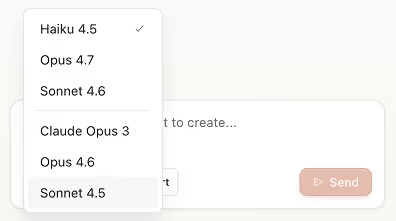
Mistake 2: I Used Haiku Instead of Sonnet or Opus — and Ran Out of Usage After One Prompt
This one was the most costly — literally. Claude Design defaults to Haiku, which sounds like the lightweight, efficient option. But counterintuitively, Haiku used significantly more of my weekly AI allocation than a more capable model would have. One prompt was enough to consume my entire week's usage.
Here's what I'd recommend instead: start with Sonnet. It's faster and more focused than Opus for early-stage design exploration, and it uses your allocation more efficiently. Save Opus for the moments when you need the deepest reasoning — complex component logic, edge case handling, or final polish.
The lesson: Don't assume the default model is the most economical choice. Check which model is selected before you start, and choose intentionally.
Mistake 3: I Forgot to Tell Claude Design What Not to Do
Claude Design's onboarding asks a lot of questions to establish the project's foundation. The intent is good, but in practice the questions can feel vague and easy to breeze through. I answered them quickly and moved on — without ever specifying what I didn't want Claude Design to explore.
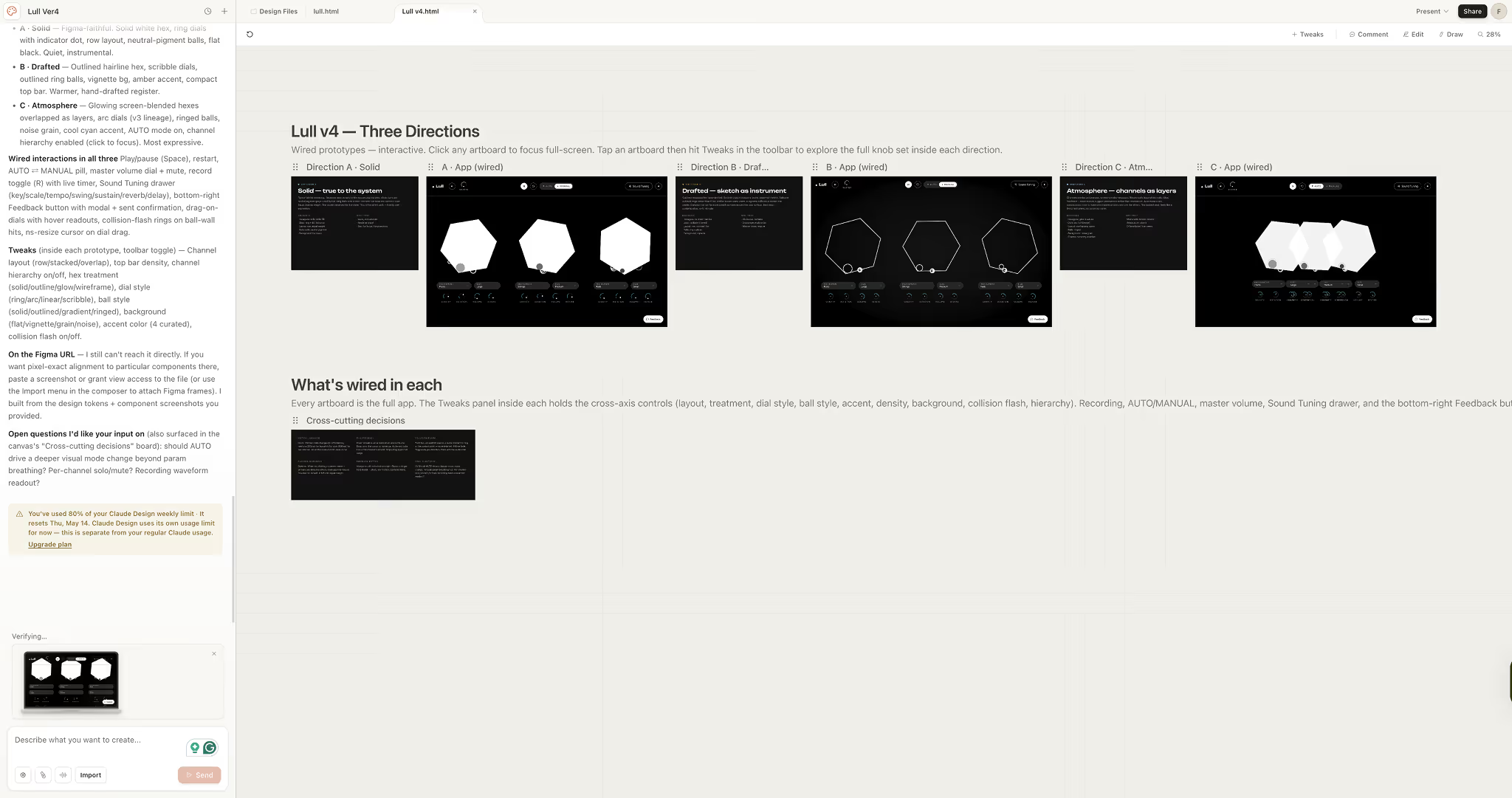
The result was a flood of unsupervised design iterations I hadn't asked for. Claude Design generated a wide range of options autonomously, each consuming usage, none of them what I needed at that stage.
The fix: Treat the onboarding as a briefing, not a form. Be as specific about constraints as you are about goals. Tell Claude Design explicitly: don't explore these directions, don't generate multiple layout options, don't iterate on this component yet and put them in DESIGN.md. The more you define the boundaries upfront, the more focused — and economical — the output will be.
What I'd Do Differently
These three mistakes together resulted in a week's worth of AI usage spent on a single session that didn't produce what I needed. The reset is weekly, so the cost wasn't just financial — it was time.
If you're planning to use Claude Design for the first time, here's the checklist I wish I'd had:
- ✅ Manually select Sonnet or Opus — don't rely on the default
- ✅ Write a clear list of what you don't want before you start the onboarding
- ✅ Treat your first session as a focused, narrow experiment — not an open exploration
Claude Design is genuinely capable. But like any powerful tool, the output is only as good as the brief. Get the setup right first, and it will repay the effort.