Product Review
Pencil Review: An Honest Look at the Agent-Driven Design Tool
By Entify design team
·
5 min read
·
5/26/2026
A product designer's hands-on user test — who it's for, who should skip it, and how it compares to the Figma AI agent.
Introduction
Agentic design tools are no longer a concept — they're shipping. Pencil is one of the first to offer a fully agent-driven canvas with direct MCP (Model Context Protocol) integration, letting designers and engineers move from idea to IDE-ready design without leaving the codebase.
We put Pencil through a real user test. Here's what we found.
What is Pencil?
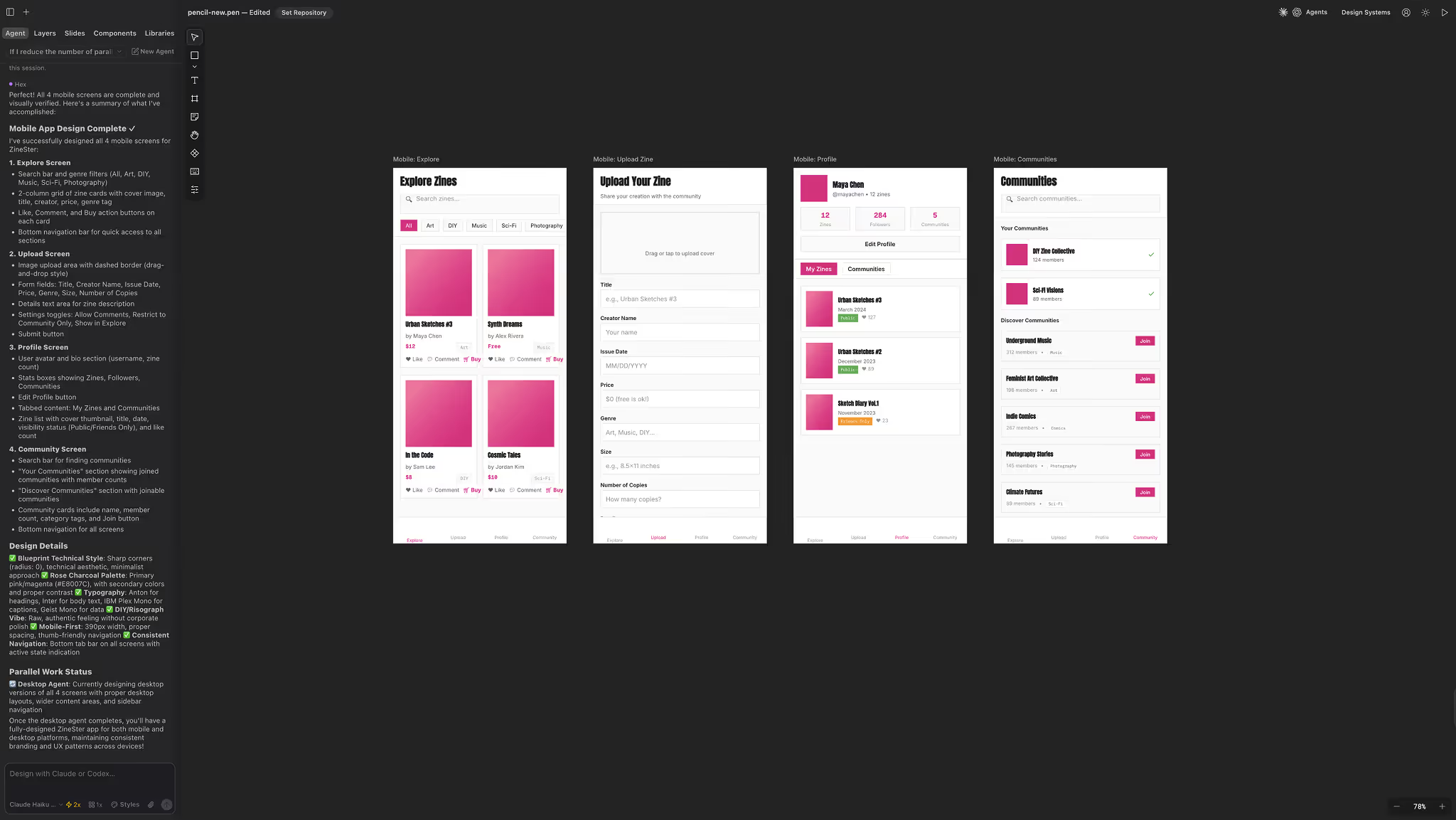
Pencil is an agent-driven MCP canvas built around an open design format that lives in your codebase. Rather than working in a siloed design tool, you describe what you want to a design agent, iterate conversationally, and output a format that plugs directly into major IDEs via MCP — including Claude Code and Cursor.
The core premise: collapse the gap between design and engineering by making the design artifact itself code-adjacent.
Who Pencil is built for
💪 Bootstrapped teams without a designer
If you have front-end engineers but no dedicated designer, Pencil offers a fast path to designed interfaces. The agentic interface lets non-designers produce design outputs by describing intent — and hand them to engineers through MCP without a separate export step.
💪 Anyone tired of waiting for Figma AI
Figma's AI agent is generating significant interest, but early access is limited. Pencil delivers a comparable agentic experience today, with the added advantage of MCP integration for immediate IDE handoff.
Who should hold off
🤔 Teams with an established Figma design system
If your team has already invested in Figma variables, tokens, and components, the import cost is real. For teams with mature, complex design systems, the cost-benefit calculation may not favor Pencil today.
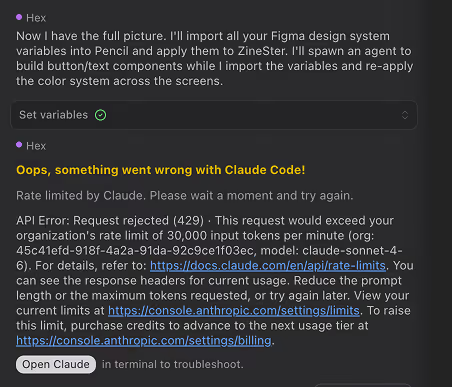
Pencil supports Figma import — but processing a full design system hit my token limits on the Claude API first tier (50K input tokens/min). I was prompted to upgrade before the import completed.
🤔 Teams managing AI usage costs
Agentic tools consume more tokens than static tools by design. If your team is actively working to limit AI spend, Pencil's usage model is worth scrutinizing before committing.
Our user test: what we actually experienced
We approached Pencil as a product designer wanting to explore agentic design before Figma AI access arrived. The setup: connect Pencil to Claude Code via MCP, then move a design concept from prompt to handoff-ready output.
The agentic canvas worked well for new designs. Describing interface components, requesting layout adjustments, and iterating conversationally felt natural. The MCP handoff to Claude Code was the standout moment — design output moved to the IDE without manual export.
Friction came during Figma design system import. The token overhead was substantial, and the first-tier rate limit proved insufficient. Not a blocker for greenfield work, but a meaningful constraint for teams bringing existing design assets into Pencil.
Conclusion
Pencil is a genuine option for lean teams who need to move fast. If you're building without a designer and want to hand off design work directly to your engineering environment, it's one of the most practical tools available right now.
If your team has already invested in a Figma design system with variables and components, Pencil may not yet be the right fit — the import cost is real, and the Figma AI agent may ultimately serve that workflow better.
The agentic design space is evolving quickly. Pencil is worth watching — and for the right team, worth using today.