We led the in-car digital product design for Byton's infotainment system — from wireframes to the global UI design system that powers every screen across the dashboard, steering wheel, and center console.
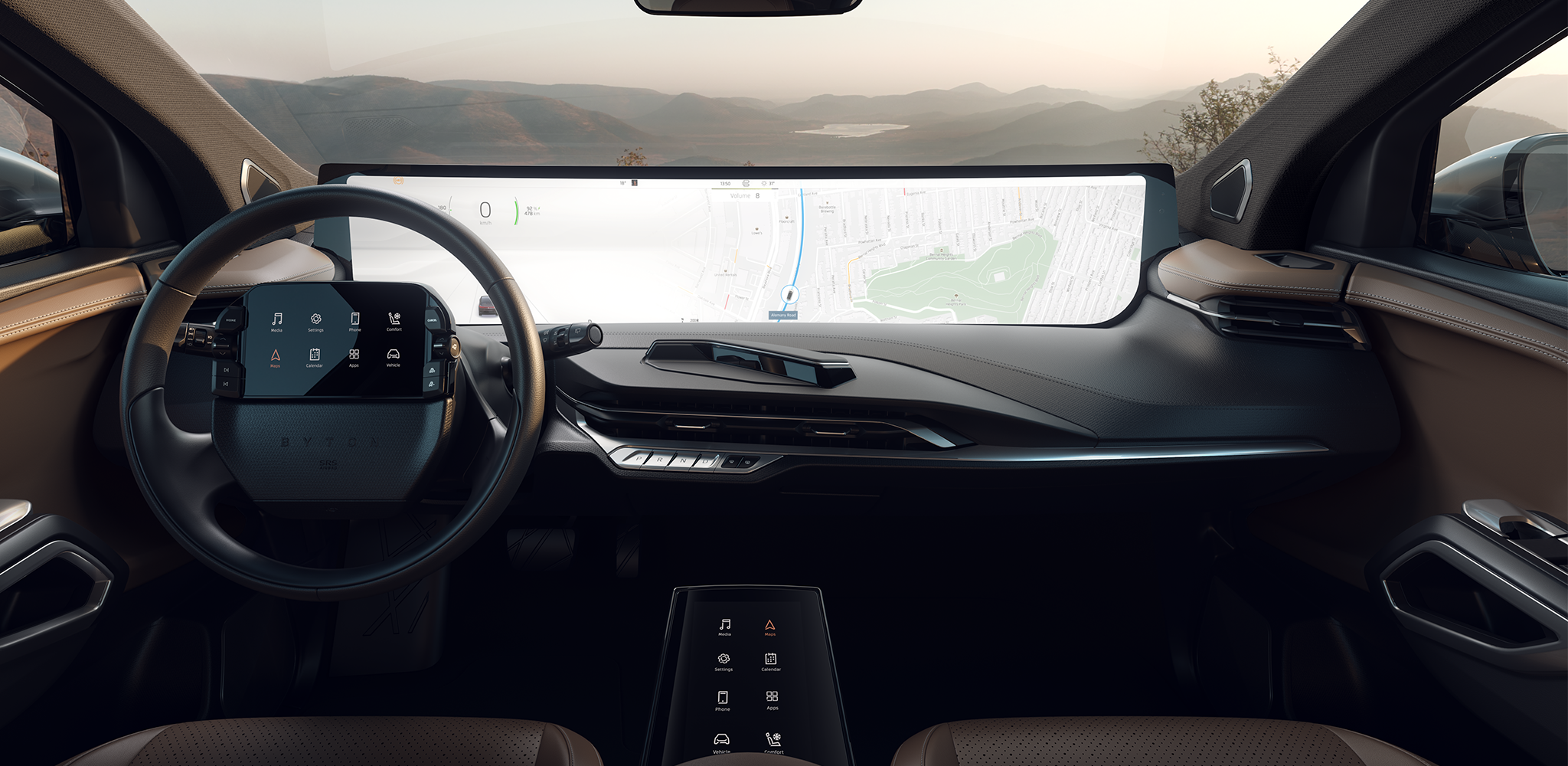
When Touch Meets the Steering Wheel, Byton's interface design centers on two touch displays — one on the steering wheel, one on the center console — that drivers use to manipulate content on the dashboard's main display while their eyes stay on the road. Early concepts split that interaction between a "Split Trackpad" and a "Full Trackpad," but it was unclear which model actually matched how drivers think and move their hands behind the wheel.
.webp)
Validating Interaction Through Rapid Prototyping. We ran multiple rounds of Digital Rapid Prototyping (DRPP) with a user researcher to pressure-test both trackpad concepts before committing to a direction.
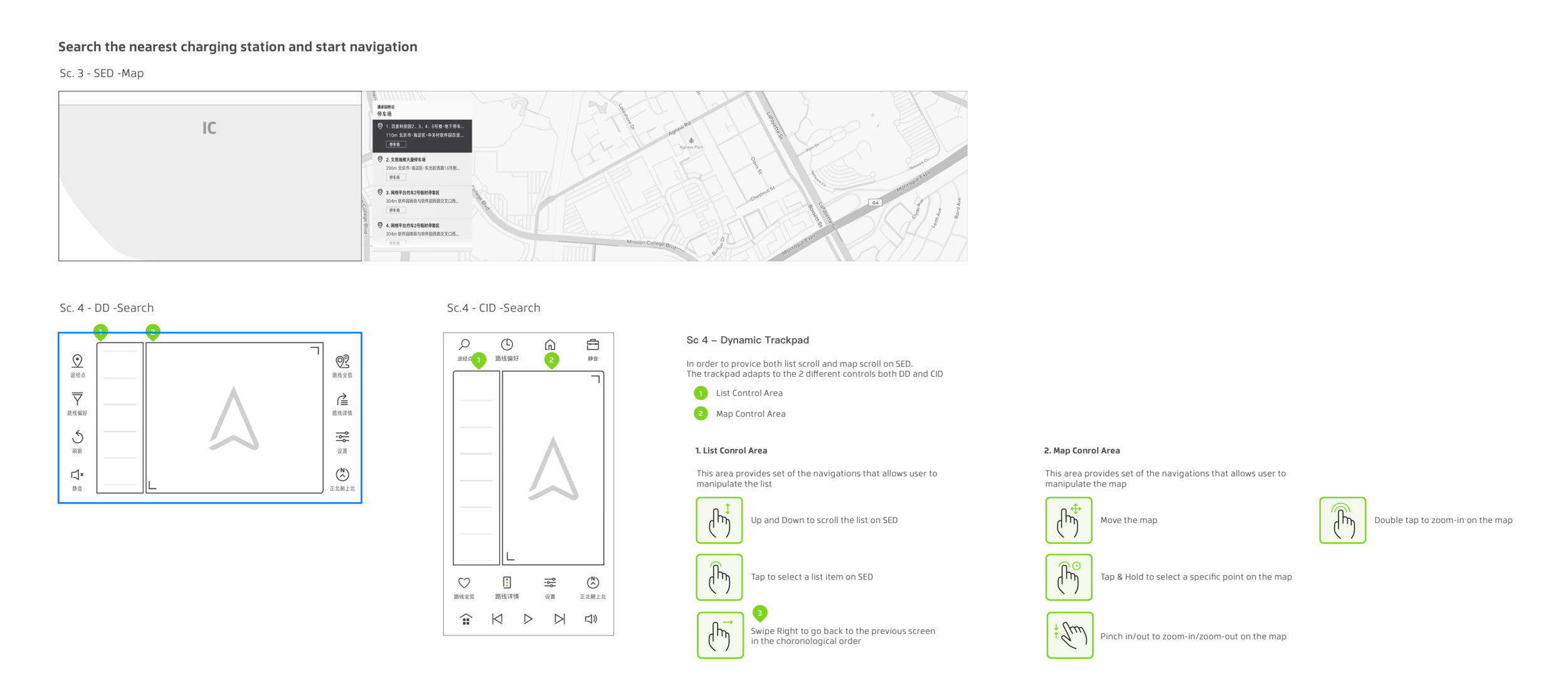
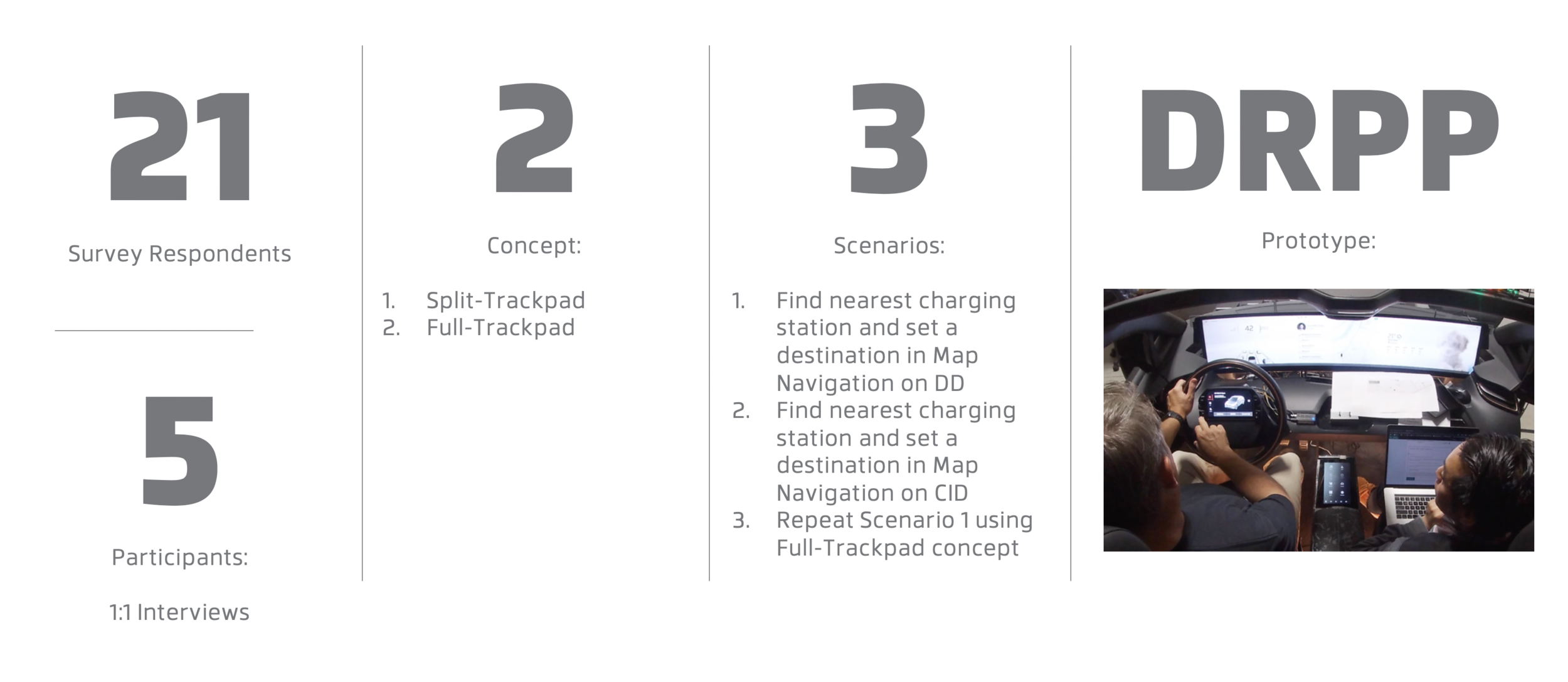
Structured Testing: 21 survey respondents and 5 one-on-one interview participants evaluated 2 concepts across 3 scenarios — finding the nearest charging station and setting it as a destination on the map, doing the same on the CID, and repeating the map task using the Full Trackpad concept.
Insight Capture: Sessions surfaced specific friction points — drivers defaulted to the hardware "Scroll" button rather than scrolling on the screen because the list gave no visual cue, struggled to translate "select & tap" gestures from the steering-wheel touchpad to the dial knob, and wanted to scroll without looking down at their hands.
.webp)
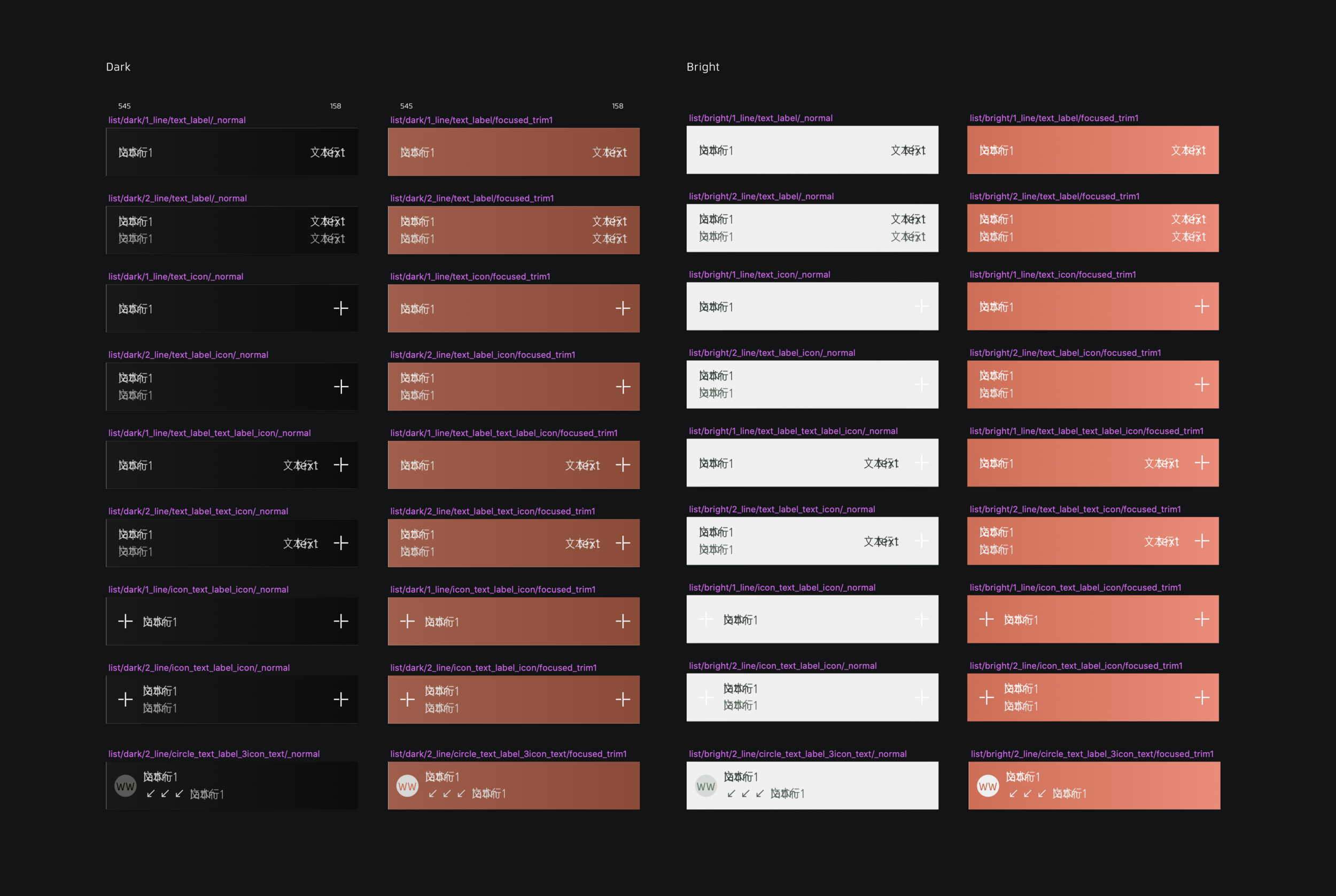
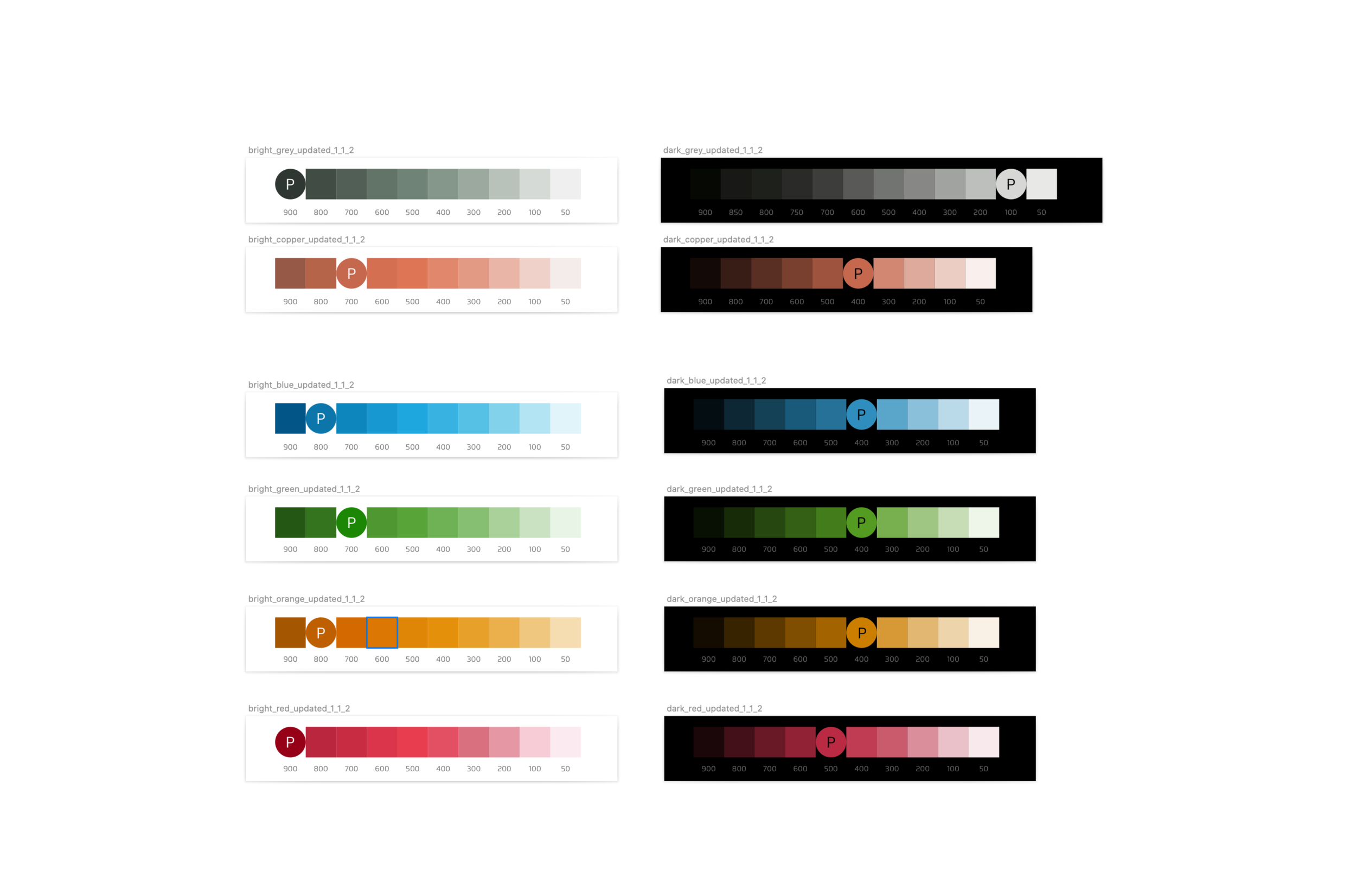
The global UI design system that powers every screen across the dashboard, steering wheel, and center console.

.webp)
From Concept Ambiguity to a Validated Interaction Model. The research directly reshaped the interaction design before it reached production.
Product Design
User Research
User Testing
Interaction Design
Wireframing & Rapid Prototyping
Design Systems
Mentorship